
How to Perform a Lightweight SEO Audit Without Paid Tools (Step-by-Step)
What Is a Lightweight SEO Audit?
A lightweight SEO audit is a focused review of indexing, on-page SEO, performance, and technical issues using free tools to identify ranking blockers without relying on paid software.
This type of audit prioritizes clarity and impact over exhaustive checklists, making it ideal for small business websites and early-stage SEO efforts.
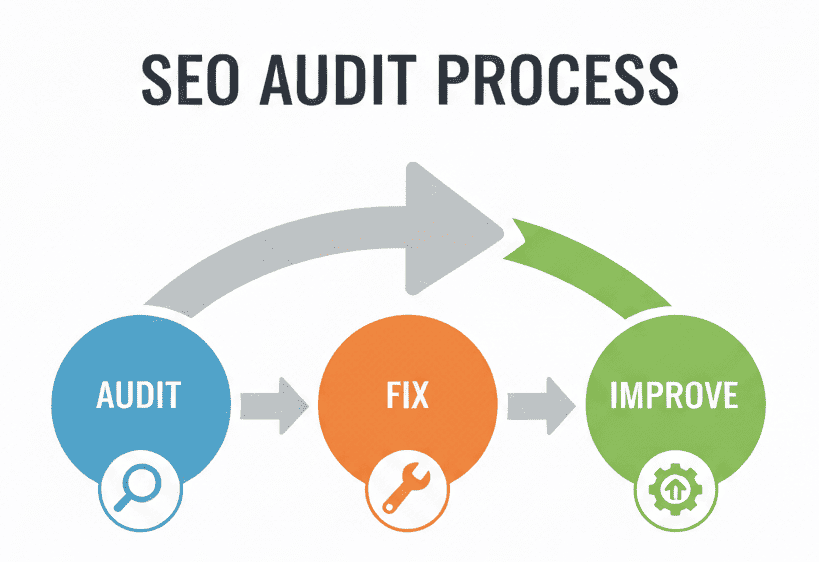
What does a lightweight SEO audit include?
A lightweight SEO audit typically includes:
Indexing and coverage checks in Google Search Console
Mobile performance and Core Web Vitals review
On page SEO signal evaluation
Internal and outbound link analysis
Technical crawl to identify structural issues
Who should use a lightweight SEO audit?
A lightweight SEO audit is best for:
Small business websites
New or low authority sites
WordPress based sites
Site owners who want clear priorities without paid tools
Why a Lightweight SEO Audit Works for Small Websites
Many websites struggle to grow not because SEO is broken, but because effort is spent on the wrong issues.
A lightweight SEO audit helps by:
Identifying real blockers instead of chasing scores
Prioritizing fixes that matter most
Avoiding risky changes that break layouts or usability
Building a stable foundation before scaling SEO work
This approach is especially effective for small business and WordPress-based sites.
Lightweight SEO Audit vs Full SEO Audit: What’s the Difference?
A lightweight SEO audit focuses on identifying high impact issues using free tools, while a full SEO audit involves deeper analysis, paid tools, and long term technical planning.
Lightweight audits are ideal for small websites and early SEO efforts, while full audits are better suited for large or enterprise sites.
Step 1: Check Indexing and Coverage Issues
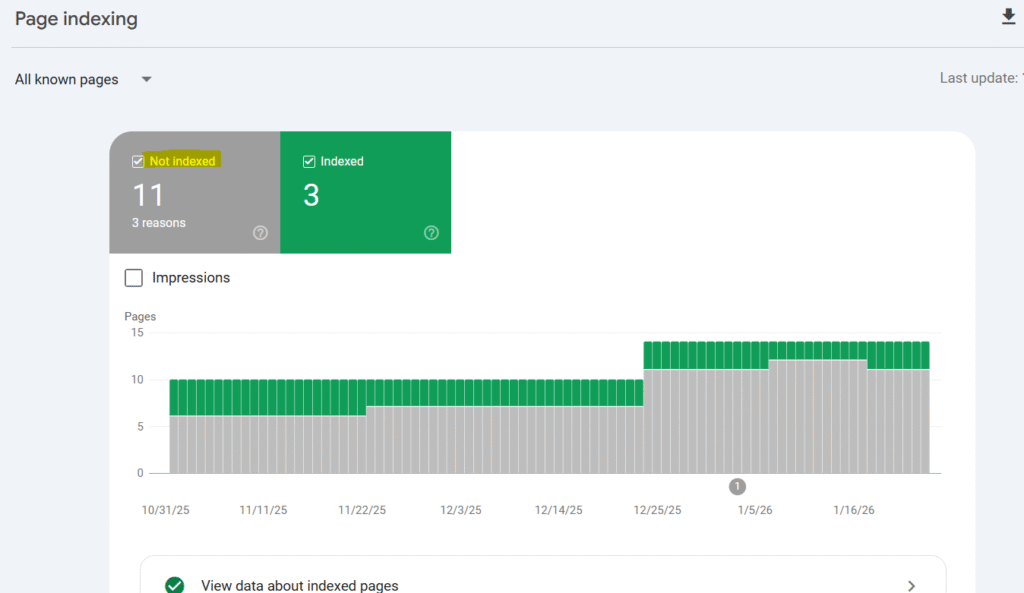
Why indexing comes first
Before analyzing content or speed, you must confirm that Google can actually index your pages. If a page is not indexed, no amount of optimization will help it rank.
Indexing checks are always the first step in a lightweight SEO audit.
Tool used
Google Search Console
Google Search Console provides direct feedback from Google about which pages are indexed, excluded, or encountering crawl issues. It is the most reliable free source for this information.
What to check
Navigate to Pages under the Indexing section and review:
Indexed pages
- Confirm that important pages such as the homepage, category pages, and key blog posts are indexed.
Not indexed pages
Look for recurring reasons such as:
Discovered, currently not indexed
Crawled, currently not indexed
Duplicate, Google chose different canonical
Example observation
During a lightweight audit of gerryspetshop.online, several pages appeared under “Discovered, currently not indexed.” This indicated that Google was aware of the URLs but had not yet prioritized them for indexing.
This is common for smaller sites and does not automatically mean something is broken.
Why this matters
When many pages remain unindexed:
Internal linking signals may be weak
Content quality or uniqueness may need improvement
Crawl priority may be low due to limited site authority
The goal at this stage is diagnosis, not forced fixes.
Step 2: Analyze Page Performance and Core Web Vitals
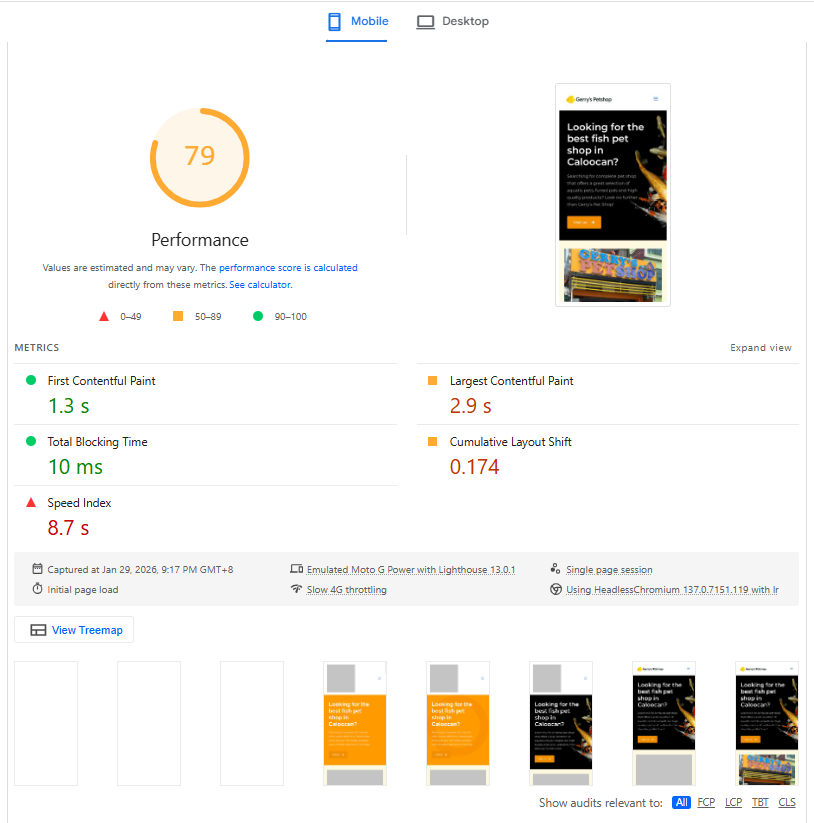
Why performance matters early
Page performance affects how users experience your site, especially on mobile. Slow load times, layout shifts, or delayed interaction can weaken engagement and ranking potential.
This is why performance checks come immediately after indexing.
Tool used
Google PageSpeed Insights
PageSpeed Insights evaluates performance using:
Field data, based on real user behavior
Lab data, based on simulated test environments
Understanding the difference prevents misinterpretation.
What to check
Test at least two pages on mobile:
The homepage
One important blog or content page
Focus on three Core Web Vitals metrics:
Largest Contentful Paint (LCP)
Measures how quickly the main content loads.Cumulative Layout Shift (CLS)
Measures visual stability during page load.Interaction to Next Paint (INP)
Measures responsiveness to user interaction.
Do not chase the overall score. Focus on whether Core Web Vitals pass or fail.
Example observation
On gerryspetshop.online, mobile PageSpeed scores fluctuated between tests, while Core Web Vitals remained within acceptable ranges. This indicated normal lab variance rather than a critical performance issue.
How to treat diagnostics correctly
In a lightweight audit:
Passing Core Web Vitals matter more than perfect scores
Minor render-blocking warnings can often be deferred
Stability and usability come before micro-optimizations
Not every diagnostic requires action.
Step 3: Review On-Page SEO Signals and Content Clarity
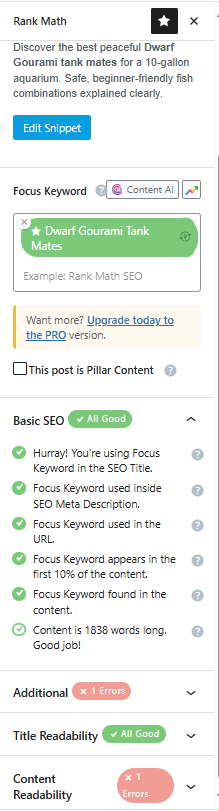
Why on-page SEO still matters
Even when a page is indexed and loads well, weak on-page signals can prevent it from ranking or being selected for featured snippets.
On-page SEO helps search engines understand:
What the page is about
How it relates to other pages
Whether it provides clear and trustworthy information
Tool used
Rank Math SEO
Rank Math provides structured on-page indicators such as titles, headings, internal links, and outbound links. In a lightweight audit, it is used as a guide, not a rulebook.
What to review first
Ignore the overall SEO score. Focus on:
Title and intent alignment
Does the title match the content?
Is it readable and accurate?
Does it reflect search intent clearly?
Content structure and clarity
Is there a clear main topic?
Are headings logical and helpful?
Does the content answer questions directly?
Internal linking
Are key pages linked contextually?
Are links descriptive instead of generic?
Is navigation doing all the work?
Outbound links
Are authoritative sources referenced?
Does the content feel isolated?
Example observation
During the on-page review of gerryspetshop.online, most content was readable and clear, but several pages lacked outbound links and relied heavily on navigation menus for internal linking.
These issues did not block indexing but likely limited topical authority and discoverability.
How to treat Rank Math warnings
In lightweight audits:
Missing outbound links often matter
Poor heading structure often matters
Keyword density warnings rarely matter
Clarity always beats plugin compliance.
Step 4: Crawl Key Pages for Technical SEO Issues
Why crawling still matters
Some technical issues are invisible in Search Console and PageSpeed Insights. Crawling helps identify structural problems that quietly limit performance.
Tool used
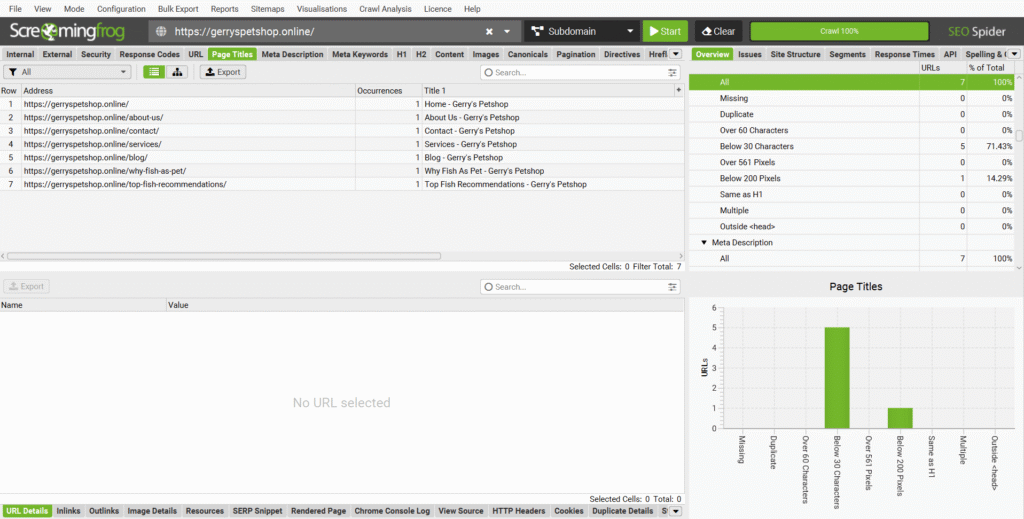
Screaming Frog SEO Spider (free version)
The free version crawls up to 500 URLs, which is sufficient for most small business websites.
What to check
Focus on patterns, not every column.
Page titles and meta descriptions
Duplicate titles
Missing or generic titles
Weak meta descriptions on important pages
Status codes and broken links
404 errors
Redirect chains
Broken internal links
Indexability signals
Unintentional noindex tags
Incorrect canonical URLs
URL structure
Consistency
Clean formatting
Absence of unnecessary parameters
Example observation
A crawl of gerryspetshop.online showed that most pages were indexable and accessible, but some pages shared similar title formats and a few internal links pointed to outdated URLs.
These issues were not critical but reduced clarity and crawl efficiency.
Final Audit Summary: What to Fix Now, Later, and Monitor
A lightweight SEO audit is about prioritization, not perfection.
Fix Now (High Impact, Low Risk)
Strengthen internal linking between important pages
Add relevant outbound links to authoritative sources
Improve duplicate or weak title formats on key pages
Fix broken internal links
Fix Later (Medium Impact or Higher Risk)
Minor render-blocking CSS optimizations
Incremental mobile layout refinements
Refining meta descriptions on secondary pages
Monitor (No Immediate Action)
PageSpeed score fluctuations with passing Core Web Vitals
Non-critical technical warnings
Lab-based performance variability
Conclusion
In summary, a lightweight SEO audit helps small websites identify real SEO blockers by focusing on indexing, performance, content clarity, and technical structure without relying on paid tools.
This lightweight SEO audit framework reflects the same process used in my professional SEO audit services for small business websites.
Many small websites fail to gain traction not because SEO is broken, but because effort is spent fixing the wrong things.
This audit demonstrated that growth blockers are more often tied to indexing clarity, content structure, and internal signals than to expensive tools or aggressive technical changes.
By focusing on high-impact issues first and deferring low-risk improvements, small business websites can improve visibility without overengineering.
Effective SEO starts with understanding, prioritization, and restraint, not paid software.
Get in Touch
If you would like to discuss your website or understand what can be improved, feel free to reach out through the contact page. I am open to reviewing sites and providing clear, honest feedback.
SEOservicesPH.pro
Local SEO expert helping Philippine businesses improve online visibility and generate qualified leads through search.
Focused on clear execution, sustainable strategies, and measurable results.
Serving businesses across the Philippines.